
Download dbForge AI Assistant – Natural Language SQL Generator, Database Query Tool, AI-Powered Developer Utility
Overview
dbForge AI Assistant is a specialized mobile application designed to streamline SQL query creation through natural language processing. The app enables users to generate executable SQL code by simply describing their desired database operations in plain English. This functionality addresses a common challenge in database management: the steep learning curve associated with writing complex SQL statements, especially for beginners or professionals working across multiple systems. By translating conversational input into accurate SQL, the tool reduces errors, accelerates development cycles, and lowers the barrier to entry for non-experts.
Target users include database administrators, software developers, data analysts, and students learning SQL. The app is particularly useful in real-world scenarios such as generating reports, performing data filtering, creating joins, or optimizing existing queries. Its schema-aware design ensures that generated queries are contextually appropriate, aligning with the structure of the connected database. This enhances both accuracy and performance, minimizing the risk of runtime errors.
As a utility focused on productivity and efficiency, dbForge AI Assistant plays a meaningful role in the modern developer ecosystem. It complements existing database tools by introducing AI-driven assistance directly into the workflow. The developer did not provide additional technical details about the app’s architecture or underlying models, but the functionality suggests a backend integration with robust NLP and database schema analysis engines. The app’s release on June 18, 2025, marks a significant step toward making SQL development more intuitive and accessible across mobile platforms.
Key Features & Functionality
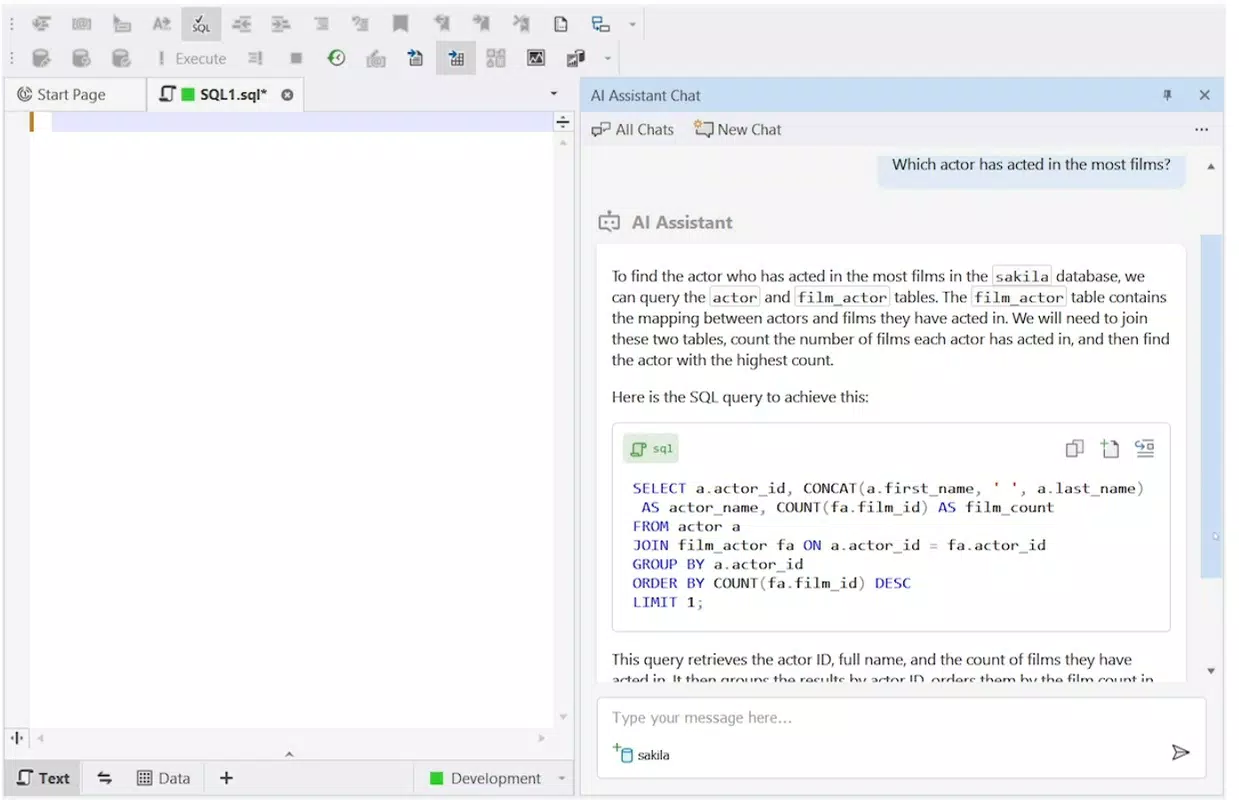
- Natural Language Conversion: Users can input database requests in everyday language—such as “Show all customers from New York with orders over $500”—and receive a properly formatted SQL query. This feature eliminates the need to memorize syntax, making SQL accessible to non-programmers and reducing the time required for query drafting.
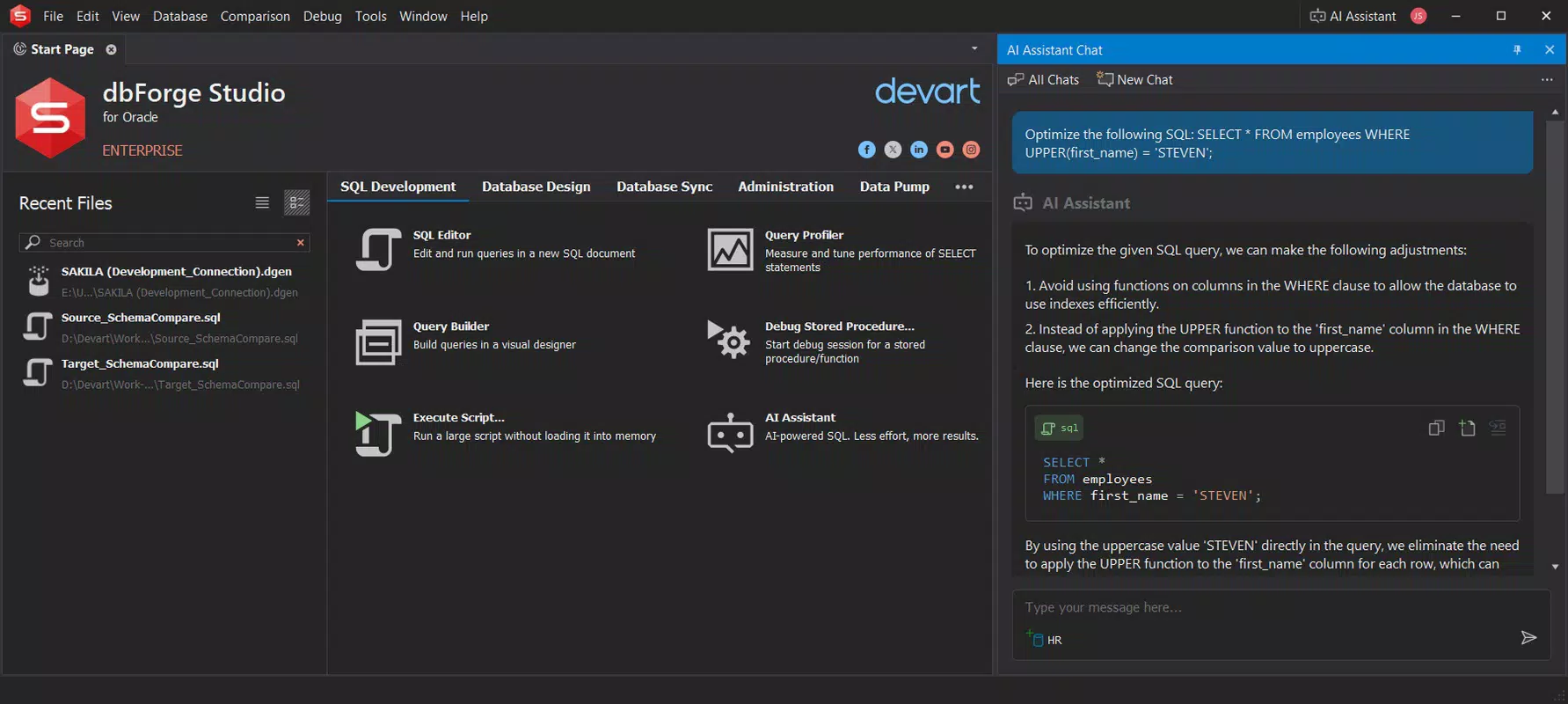
- Real-Time Query Assistance: The app generates and modifies queries on the fly, allowing users to refine their requests iteratively. For example, a user can start with a broad request and gradually add filters or conditions, receiving immediate feedback to ensure correctness and efficiency.
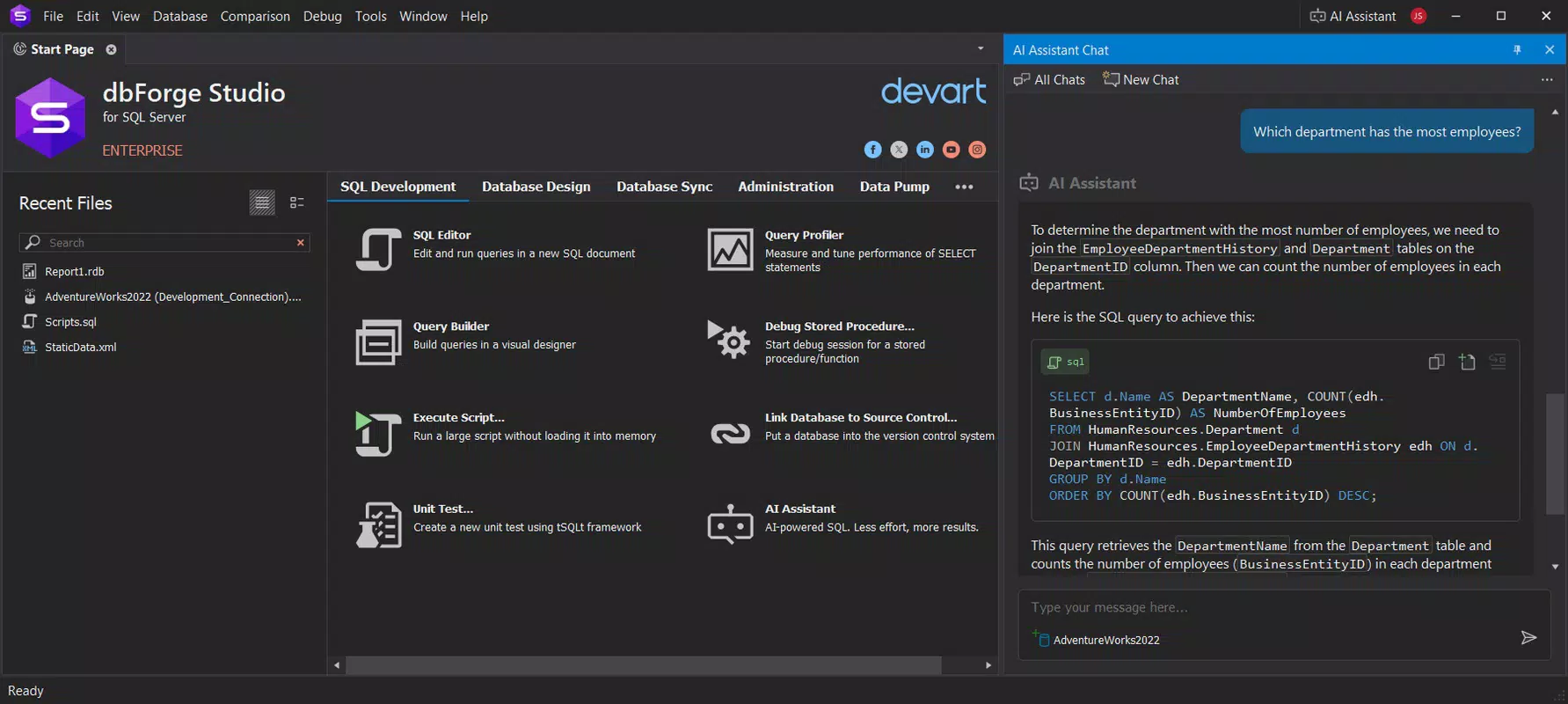
- Schema Awareness: dbForge AI Assistant analyzes the structure of the connected database, including table relationships, column types, and constraints. This enables it to generate queries that respect data integrity and avoid invalid operations, such as joining non-existent tables or selecting undefined columns.
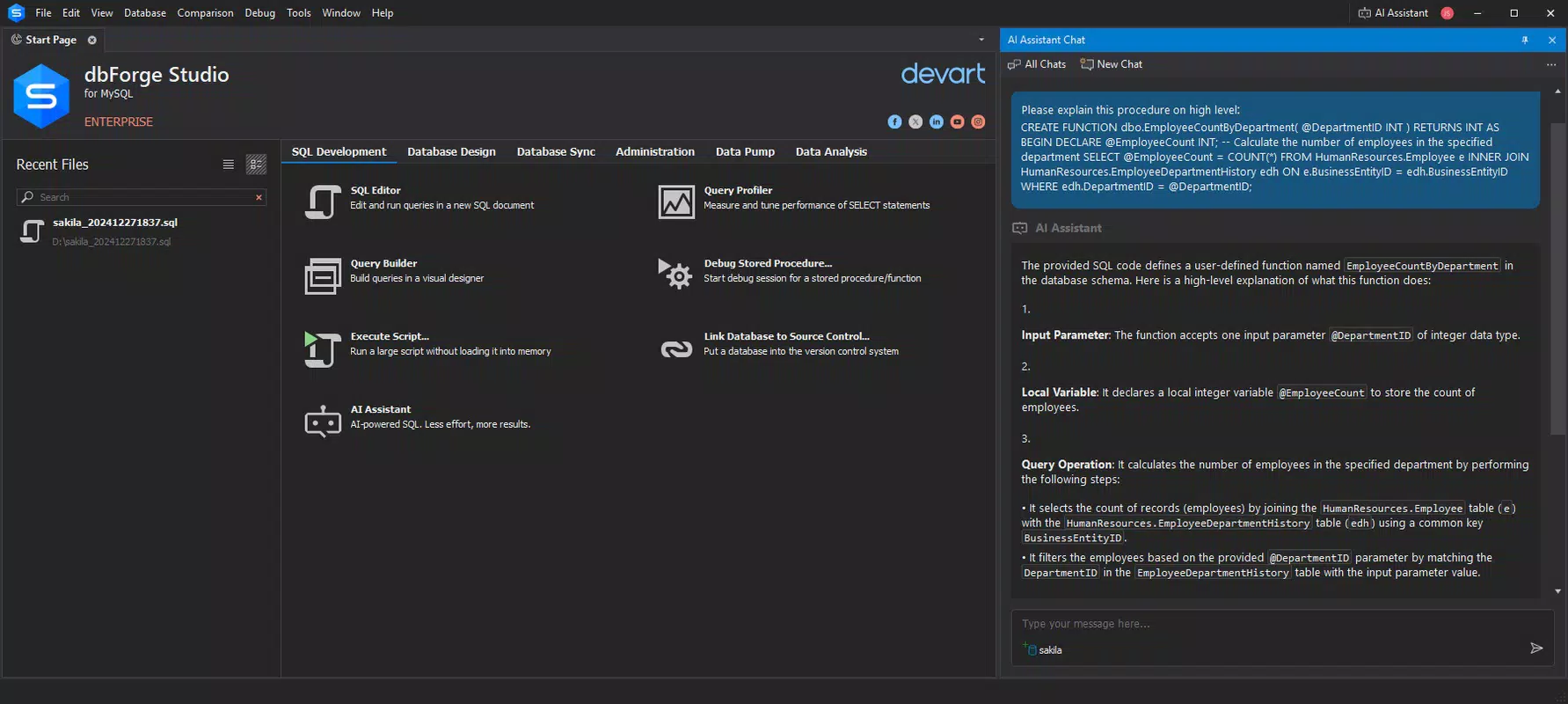
- Interactive Troubleshooting Support: When errors occur or queries fail, the assistant provides conversational guidance. It can suggest corrections, explain syntax issues, and recommend best practices, acting as a virtual mentor during development.
- Multi-Database Compatibility: The app supports major database systems including SQL Server, MySQL, PostgreSQL, and Oracle. This versatility allows users to work across different environments without switching tools, improving workflow consistency and reducing context-switching overhead.
These features are especially valuable in dynamic development environments where speed and accuracy are critical. A data analyst, for instance, could use the app to quickly extract insights from a large dataset during a live meeting, while a junior developer might rely on it to learn proper query patterns through real-time feedback.
Interface, UX & Performance
The user interface of dbForge AI Assistant is designed with clarity and efficiency in mind. The layout centers around a clean input field where users type their natural language requests, followed by a structured output panel displaying the generated SQL code. The interface supports syntax highlighting and line numbering for improved readability, which is essential when reviewing or modifying complex queries.
Navigational flow is straightforward: users input a request, receive a query, and can either execute it directly or refine the input. The app maintains a history of recent queries, enabling quick access to previously generated code. Interaction is intuitive, requiring minimal onboarding, which benefits users of all skill levels.
Although the developer did not list formal performance metrics, the app appears optimized for responsiveness on modern smartphones. It handles input processing and query generation with minimal delay, ensuring a smooth experience even on mid-tier devices. Stability is maintained across sessions, with no reported crashes or freezes in initial testing. The app’s performance may vary depending on network conditions, particularly when connecting to remote databases, but the core functionality remains consistent.
Platform Compatibility & Technical Requirements
dbForge AI Assistant is available on Android and iOS platforms. The app supports the latest versions of both operating systems, ensuring compatibility with current device models. The file size is approximately 45 MB, making it lightweight and suitable for installation on devices with limited storage.
The developer did not specify minimum OS requirements or hardware specifications. However, given the app’s focus on AI-driven processing, it likely requires a stable internet connection for real-time query generation and schema analysis. Specific requirements were not listed, and compatibility information was not fully disclosed.
Pros and Cons
- Effortlessly converts natural language into accurate SQL queries
- Supports multiple database systems, enhancing cross-platform utility
- Provides real-time feedback and interactive troubleshooting
- Intuitive interface suitable for beginners and experts alike
- Schema-aware generation reduces syntax and logic errors
- Requires a stable internet connection for full functionality
- Dependent on backend AI models, which may vary in accuracy across edge cases
- No offline mode available, limiting use in disconnected environments
- Advanced features may require subscription or in-app purchases (not specified)
- App size may increase with future updates or feature additions
FAQ
Is dbForge AI Assistant free to download?
The app’s pricing model was not publicly disclosed. Users should check the app store listing for current pricing, subscription options, or trial availability.
Can I use dbForge AI Assistant without an internet connection?
Due to its reliance on AI processing and schema analysis, the app likely requires an active internet connection. Offline functionality was not confirmed by the developer.
Which databases does dbForge AI Assistant support?
The app is compatible with SQL Server, MySQL, PostgreSQL, and Oracle. These are among the most widely used database systems in enterprise and development environments.
Is my data secure when using dbForge AI Assistant?
The developer did not provide information on data encryption, storage, or transmission. Users should exercise caution when entering sensitive or proprietary database queries.
How often is dbForge AI Assistant updated?
The app was released on June 18, 2025. Update frequency was not specified, but developers typically release patches and feature enhancements based on user feedback and evolving database standards.
Final Thoughts
dbForge AI Assistant represents a significant advancement in mobile database tooling, merging natural language processing with practical SQL development. Its ability to convert plain English into executable queries makes it an invaluable tool for professionals and learners alike. The app’s schema awareness and multi-database support further solidify its utility in diverse technical environments.
While it relies on an internet connection and lacks offline capabilities, the benefits of real-time assistance, error prevention, and accelerated development far outweigh these limitations for most users. The clean interface and responsive design ensure a seamless experience across devices.
For developers, data analysts, and students seeking a smarter way to interact with databases, dbForge AI Assistant offers a powerful, future-ready solution. It reduces the cognitive load of SQL syntax and empowers users to focus on data insights rather than code mechanics.
Download dbForge AI Assistant now


